Before this task, I had no idea how challenging recipe prep and cooking can be! I realized a lot of experience and thought goes into mastering this art indeed.
For the task at hand, I decided to run a small investigation by bunging a few questions my mom’s way, as she might help me figure out the stress points she faces when cooking a new recipe. My mother is an excellent cook, and she loves trying out new recipes every now and then, and so do many other food lovers, who come to share their insights on Quora and Reddit (a sweet spot for research purposes). Thrift searching Google also got me some good points to put my mind on.
During this past week, I focused on the users over business. This allowed me to better understand their point of view to problems, and see if these problems were genuine and if they could be solved through design.
I started with devising a problem statement as,
“Wouldn’t it be amazing if our users could have fun while preparing for the exciting recipes?”
Which led me to disintegrate the statement in two parts from the user’s perspective,
“I should be measuring the right quantities for ingredients or I might mess up”
“I should prepare the ingredients beforehand, so that cooking won’t be as hectic”
Q. What problems do users face while measuring ingredients?
Not everyone has measuring cups/cylinders or like, at their homes
Users can use alternatives for measuring cups and others, but they are not sure if these utensils are the right size as expected from the recipe
Not everyone understands the units and the quantity mentioned in the recipe
Q. What problems do users face while preparing ingredients?
Not everyone is familiar with the cooking terms mentioned in the recipe, i.e., chopped, diced, thinned, zest, etc.
Many users are not comfortable with knives and lack the hand coordination required for the prepping/cooking tasks.
The recipes say what to do (e.g., Chopped) but do not mention the degree (e.g., how small, how thin, or how course must it be), which leaves the user in slight confusion as to whether they should do it as per their interests or are there specific ways of doing things
After brainstorming for a day or two, I ended up with a handful of ideas, but upon gravely looking into each of their prospects, I enlisted a way of putting the final ones into practice.
Rewards
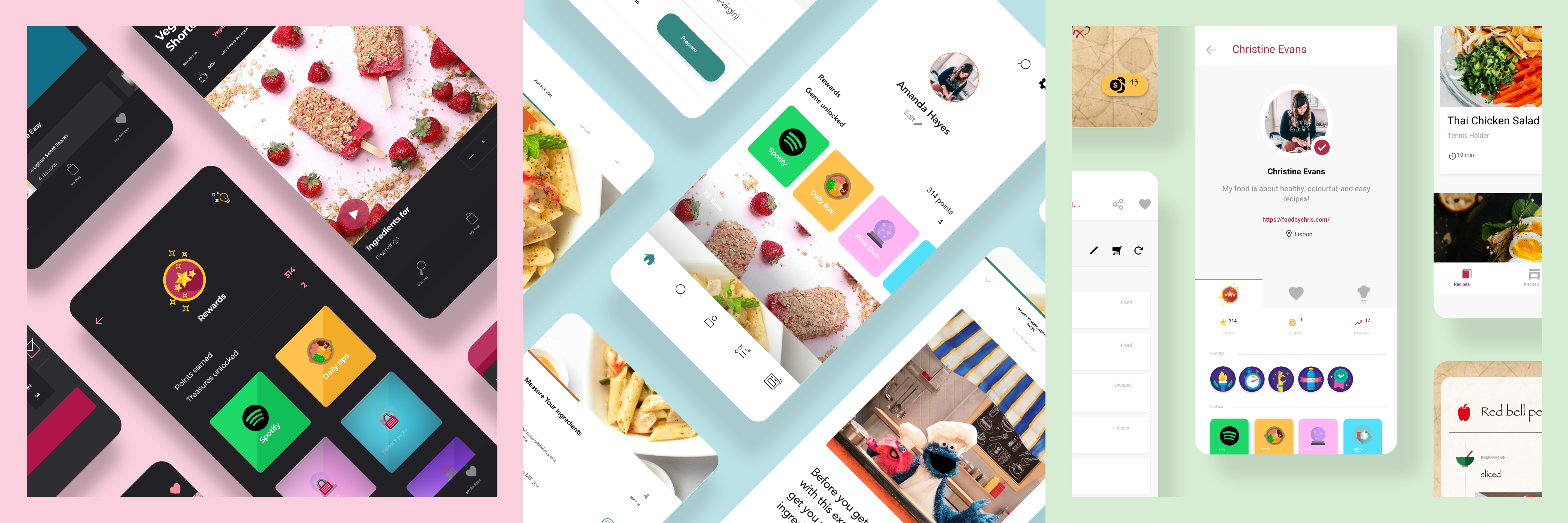
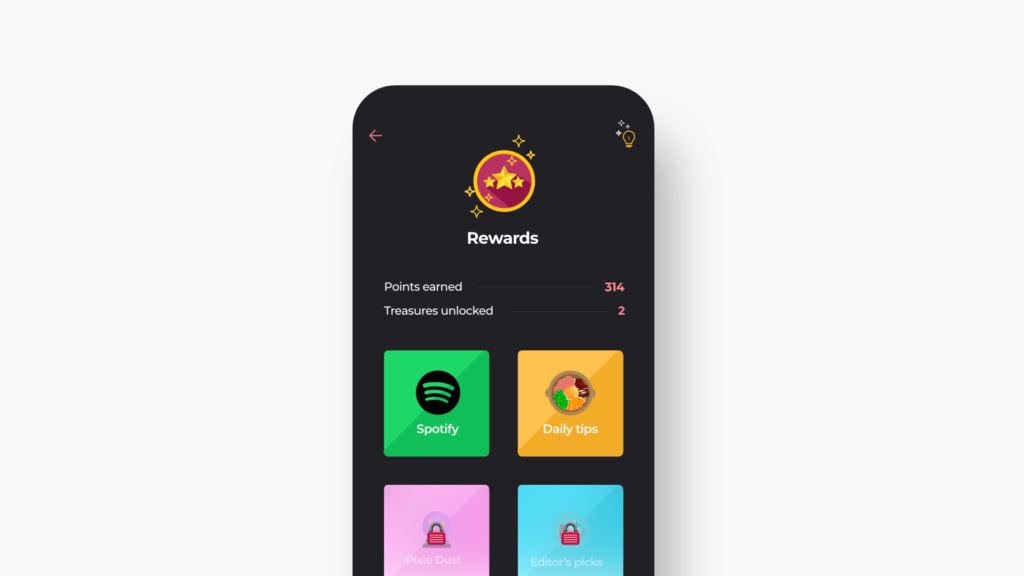
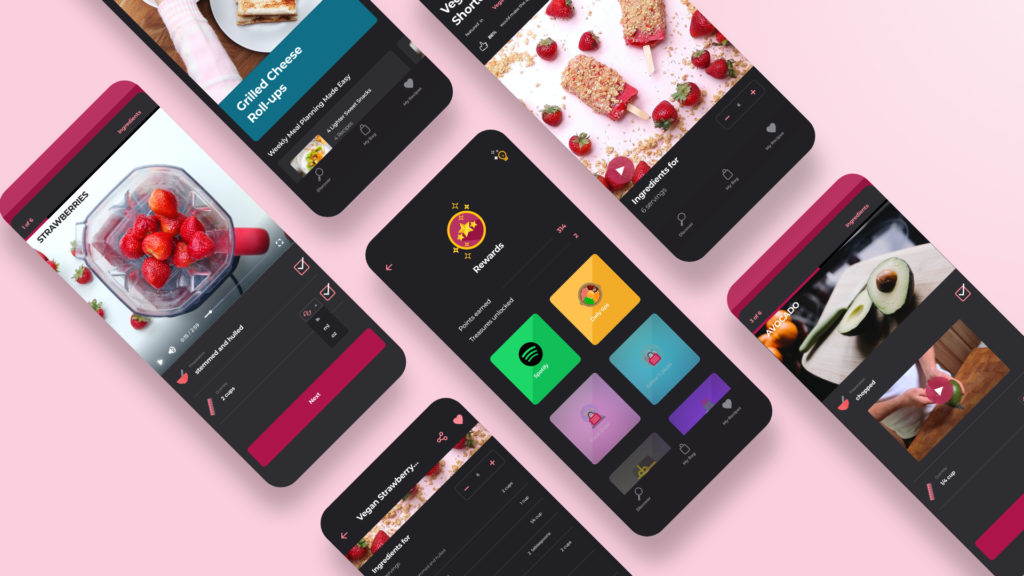
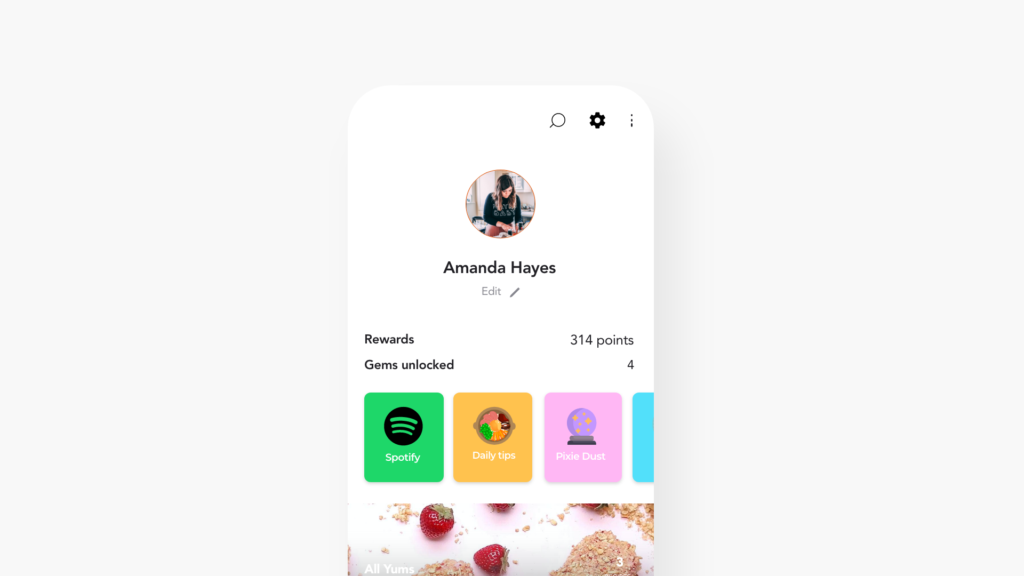
Rewarding users for their hardwork. Users will get points for successfully completing harder steps during prep. These points can later be redeemed by the user for some exciting rich features as they move ahead. That be,
x points – Music (Spotify) in app affiliation
y points – Daily/weekly cooking tips (general)
z points – Pixie dust (a quick secret tip at the end of the recipes, to spice it up)
w points – Editor’s picks for easy, fast and delicious recipes
v points – Add your own recipes and earn reward when other users interact (like, share, cook) with your recipes
q points – Turn reward points into discounts for your next shopping cart expenses
While I decided on assimilating this whole rewarding technique and idea into the three apps, I knew that all of them had their own way of functioning and requirements, idea, feel and branding, so I had to make little changes for each of them along the way.
Tasty
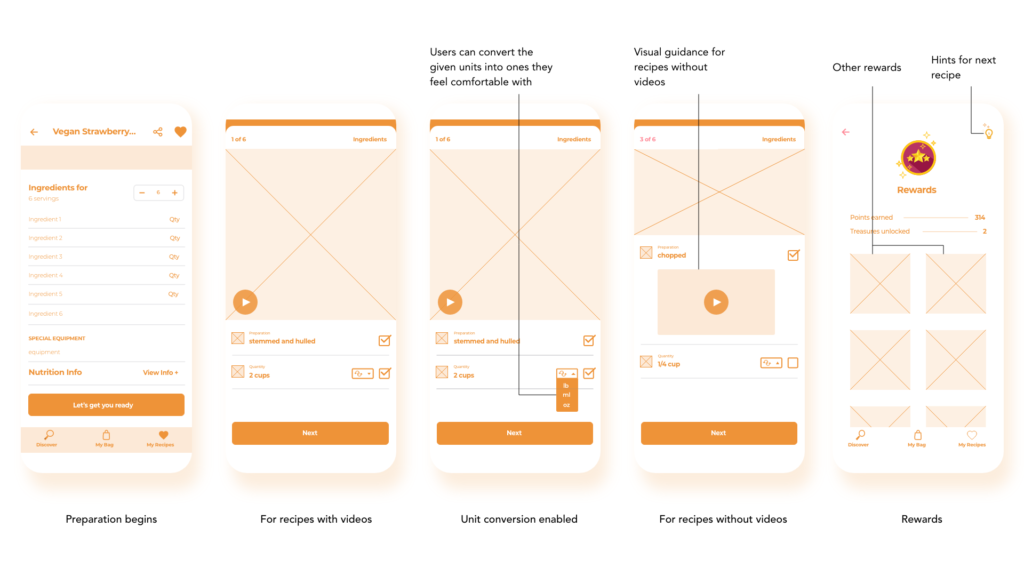
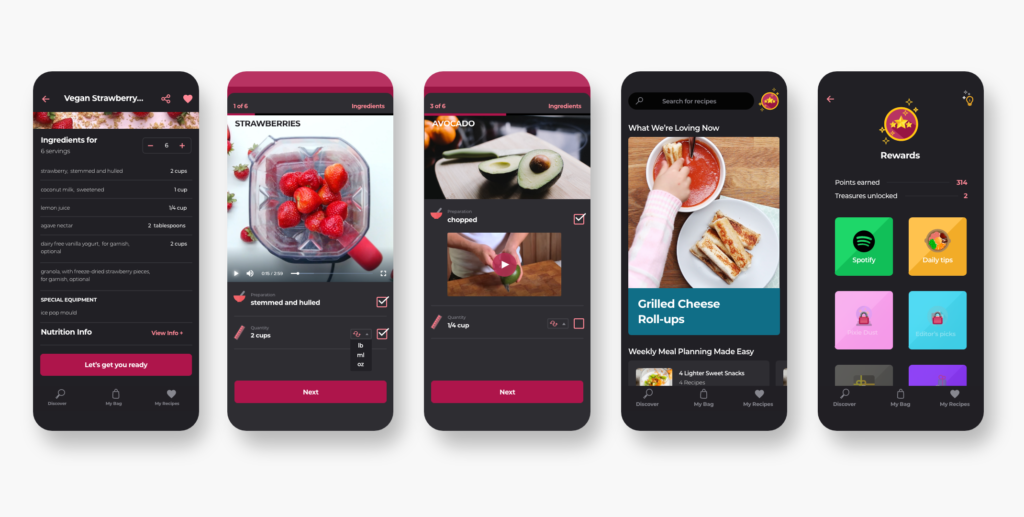
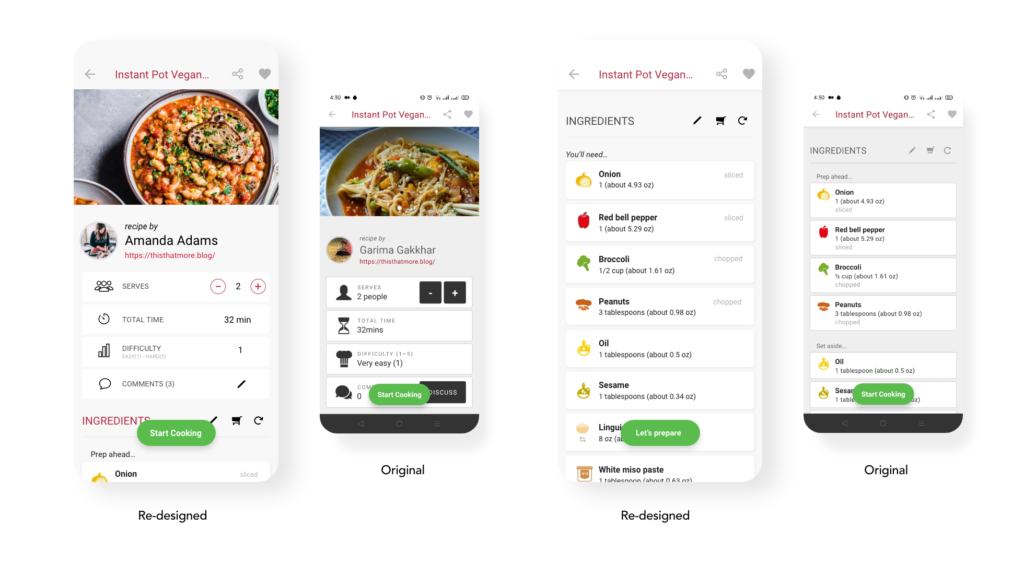
Initially, Tasty only had a list of ingredients for the sake of prepping, and then came the recipe. But what I loved about Tasty is how it had visually pleasing videos for guiding the user through the cooking for most of its recipes. I chose to take inspiration for my re-design from this very idea.
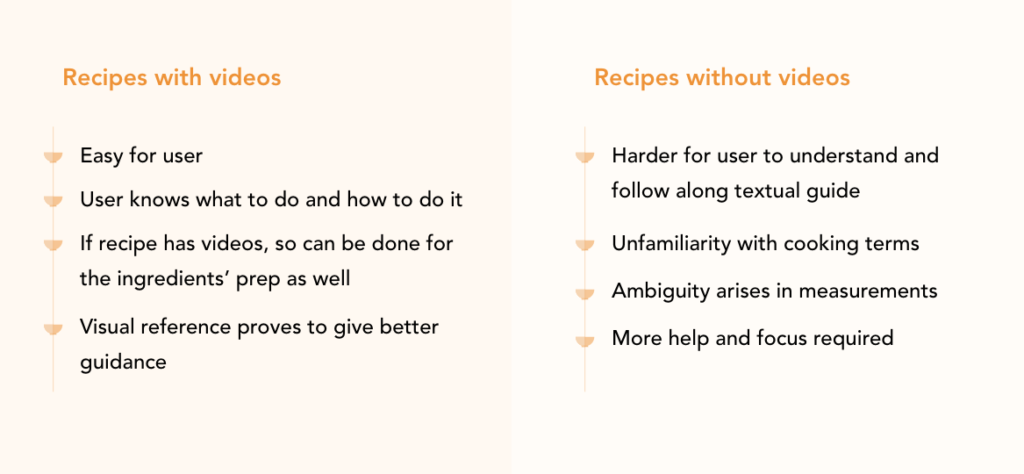
Tasty has recipes in 2 forms –
And therefore, I addressed not only the issues about the prepping and measuring mentioned before, but also the above, through my re-design.
final designs…
Rewarding isn’t fun until you could show them off to the world or gain something from them in a way.
For tasty, the twist could be,
The user continuously gets hints on the next recipe that consists of points from time to time. Users need to ponder over these hints carefully and find the recipe that is hinted. This would work just like a treasure hunt, except the treasure that you’re looking for gets you other riches.
Yummly
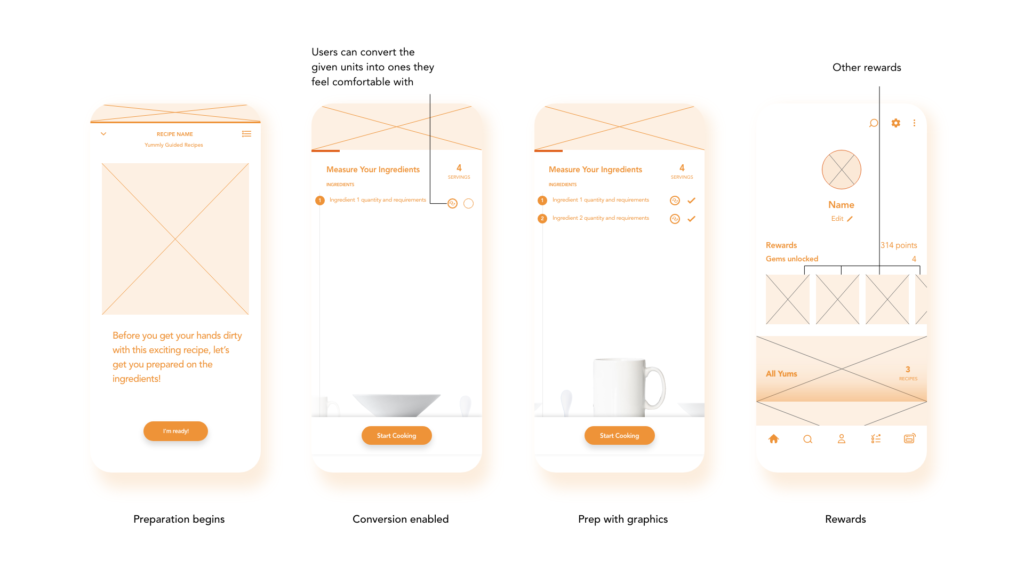
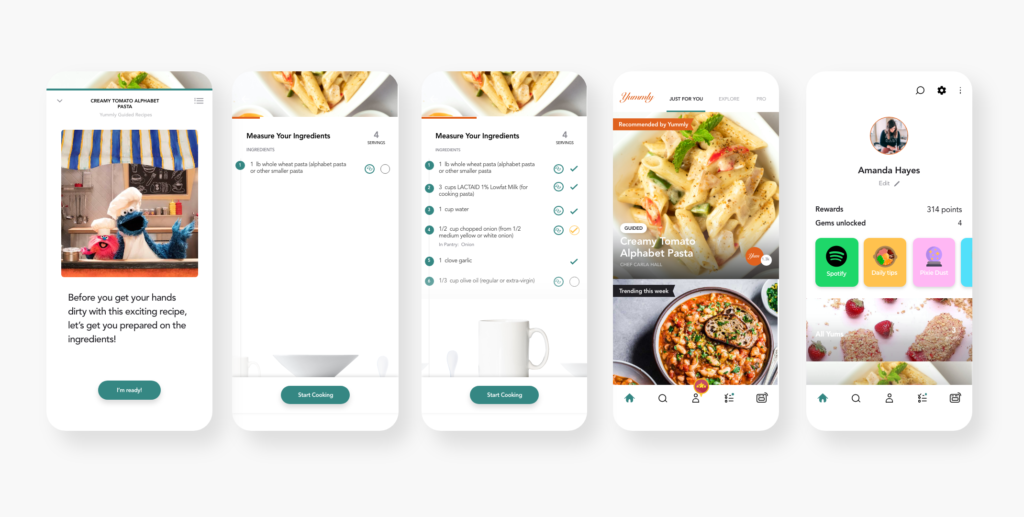
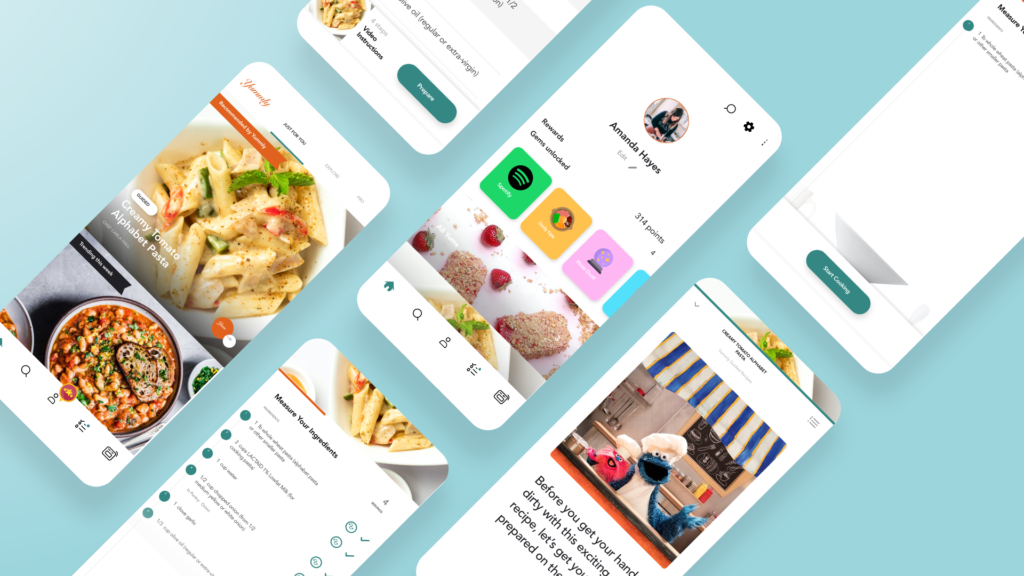
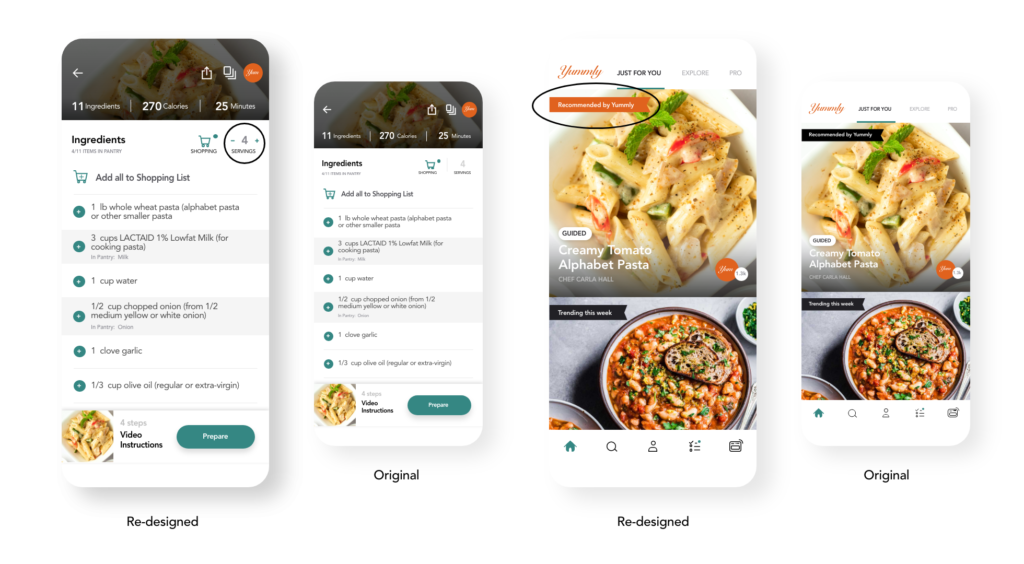
This app already consisted of a step before cooking, i.e. measuring the ingredients. Since, it was just about a checklist of ingredients and tools, I intended on making the prepping fun by adding graphic details and elements that not only address the issues in hand but also go with the brand well.
final designs…
For Yummly,
I kept the reward system as it is. Users would earn points and redeem them at will, for greater goods.
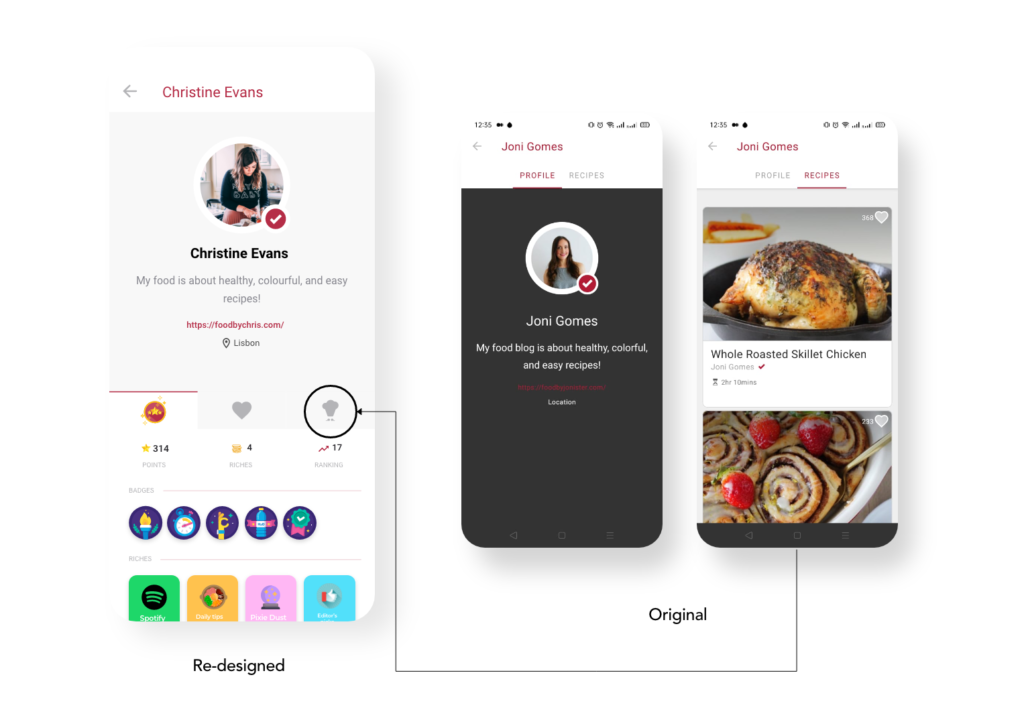
In case of Yummly, it had a community aspect to it, except it was partially true. One could only visit a profile, and like or flag a comment. There was no simultaneous two-way interaction. This inspired my decision of dropping the idea of showing badges on profiles, since that wouldn’t have any context.
Drop
As I was scanning by a few recipes and ingredients to see how the information is structured and recipe is laid out, I realized that Drop uses icons for everything. The whole process in the app, from ingredients to prepping to cooking is icons centric. It has icons for all the ingredients, tools that will be needed.
This communicated that the brand supports graphics and visual guidance. Also, the UI seemed youthful enough for me to experiment with a unique turn for the prep process.
final designs…
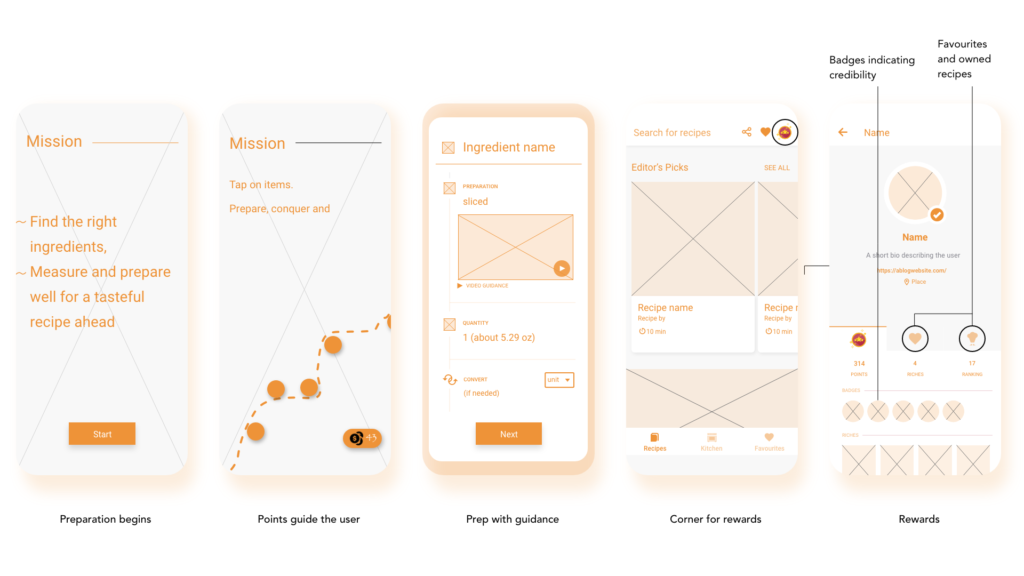
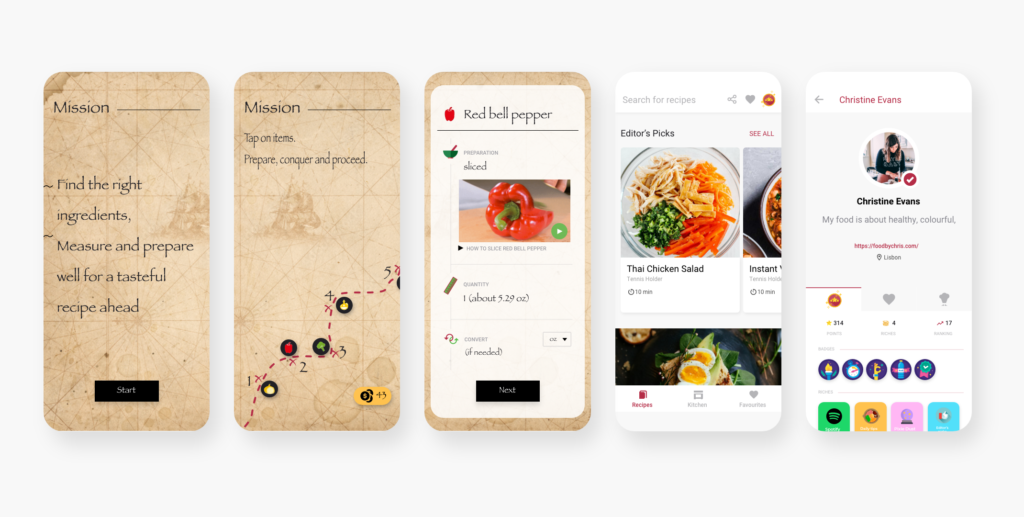
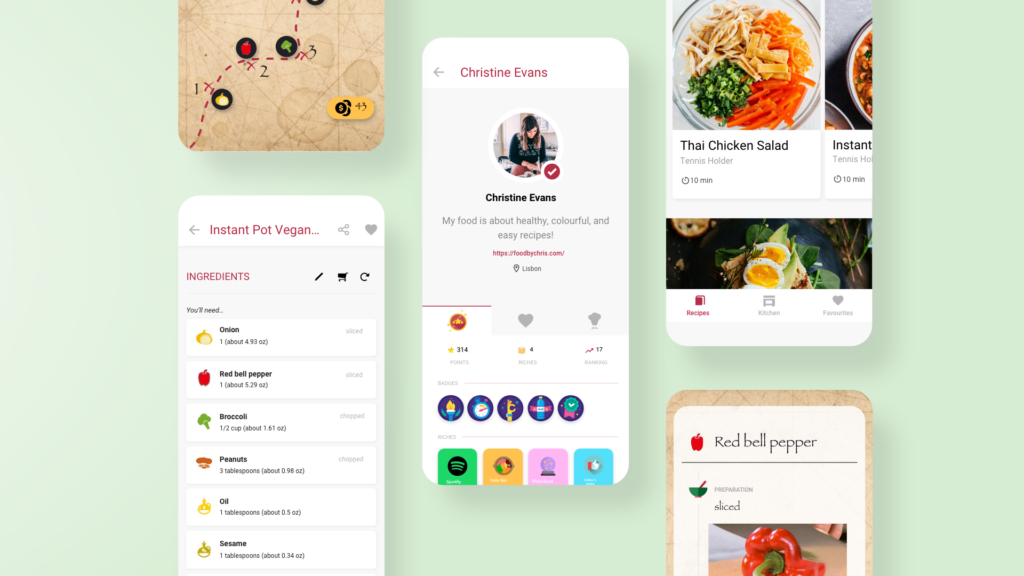
The user’s preparation will initiate with a treasure hunt where, they’ll be guided by the crosses on the map – each step will help them prepare the ingredients and proceed, while earning points along the way.
For Drop,
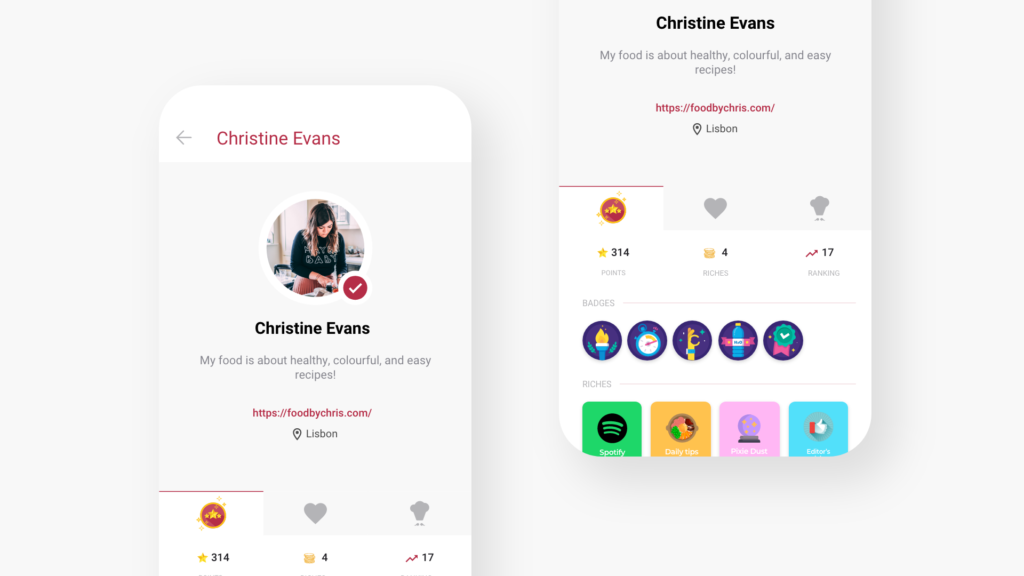
I ought to add the badges scheme that I had talked about earlier, and I know it will fit here better, let me explain how,
Drop has a community, which although, not every user might be familiar with. This is because the app’s IA has put the profile tab hidden in Favorites. Regardless, Drop offers its users the opportunity to derive and share their own recipes. Hence, the user can redeem the points they earned in the prep, to influence their ranking and visibility of their recipes on the home page. As they move up the success ladder, they get badges that account for their credibility.
Besides re-designing prep..
(I thought of tweaking a few more little things for these apps while I worked on them)